Quick links
Your own shortcuts with automatic favicon, uploaded image or icon URL, plus an optional subtitle.
My Desktop Tab replaces your browser's new tab page with a clean, customizable desktop: your links, bookmarks, videos and feeds, organized exactly the way you want.
Available in English, French, Italian, Spanish, German, Portuguese and Dutch.
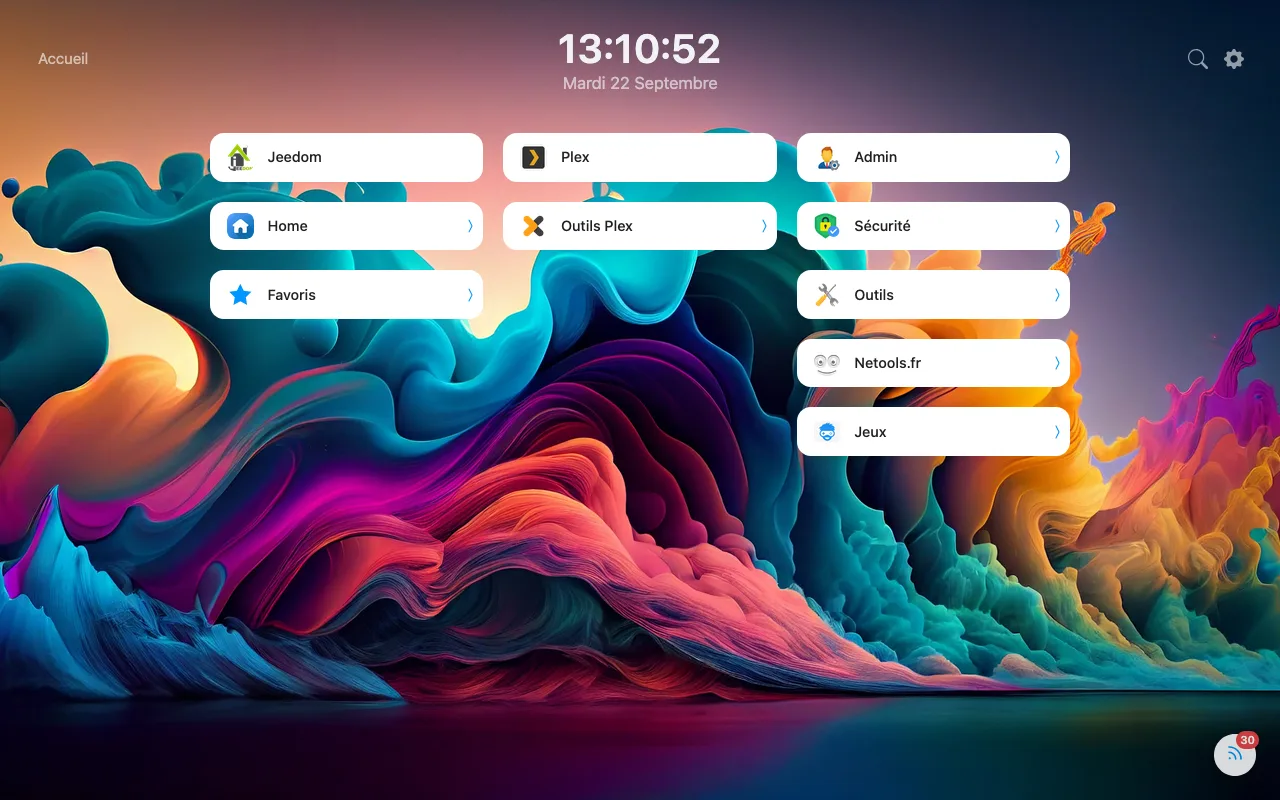
Every module can be turned on, off and tuned from the settings. Keep only what you actually use.
Your own shortcuts with automatic favicon, uploaded image or icon URL, plus an optional subtitle.
Group links and bookmarks together in nested folders, each with its own icon and breadcrumb.
Your bookmarks toolbar and its subfolders, right there, as tiles or as a list.
YouTube, Vimeo, Dailymotion, Streamable or a video file: gallery by category, built-in player that resumes right where you left off.
Follow your sources in a discreet ticker, or in a three-pane reader with favorites and filters.
Encrypt a folder and its content with a password (AES-256-GCM), entirely on your device.
Solid color, gradient or image; tile, text, clock and search bar colors, each one adjustable.
Several columns as tiles or lists; rearrange everything with the mouse, even across columns.
Find any link, folder or bookmark instantly by title, URL or keyword.
12- or 24-hour format, adjustable size and color, or hidden if you prefer.
Open a specific folder directly on every new tab instead of the home view.
Save your whole setup to a file and bring it back on another browser.
Mix tiles and lists, set the number and width of columns, the tile size and the grid width.
Turn a folder into a video gallery, just like an online video site: its subfolders become categories in a side menu, and every YouTube, Vimeo, Dailymotion or Streamable video, added like a regular link, shows up as a thumbnail.
Subscribe to your favorite sites and follow new articles in a discreet ticker at the bottom of the screen, or open the expanded three-pane view: sources, article list and reading pane.
Customize the wallpaper and layout of the home view, or of any single folder.
One click on the padlock and the folder is encrypted with your password. Unlocking only applies to the current tab.
My Desktop Tab has no server, no account and no analytics. Everything is stored in your browser.
Links, folders, settings, images and subscriptions stay in your browser's storage.
Nothing is collected, sent or shared. No tracking, no ads.
Access to a site is only requested when you add an icon or a feed that needs it.
Only sites you chose are contacted: favicons, icons by URL, RSS/Atom feeds (at most every 20 min) and YouTube, Vimeo, Dailymotion or Streamable videos.
Install My Desktop Tab for free. Move your setup from one browser to another with a simple export / import.